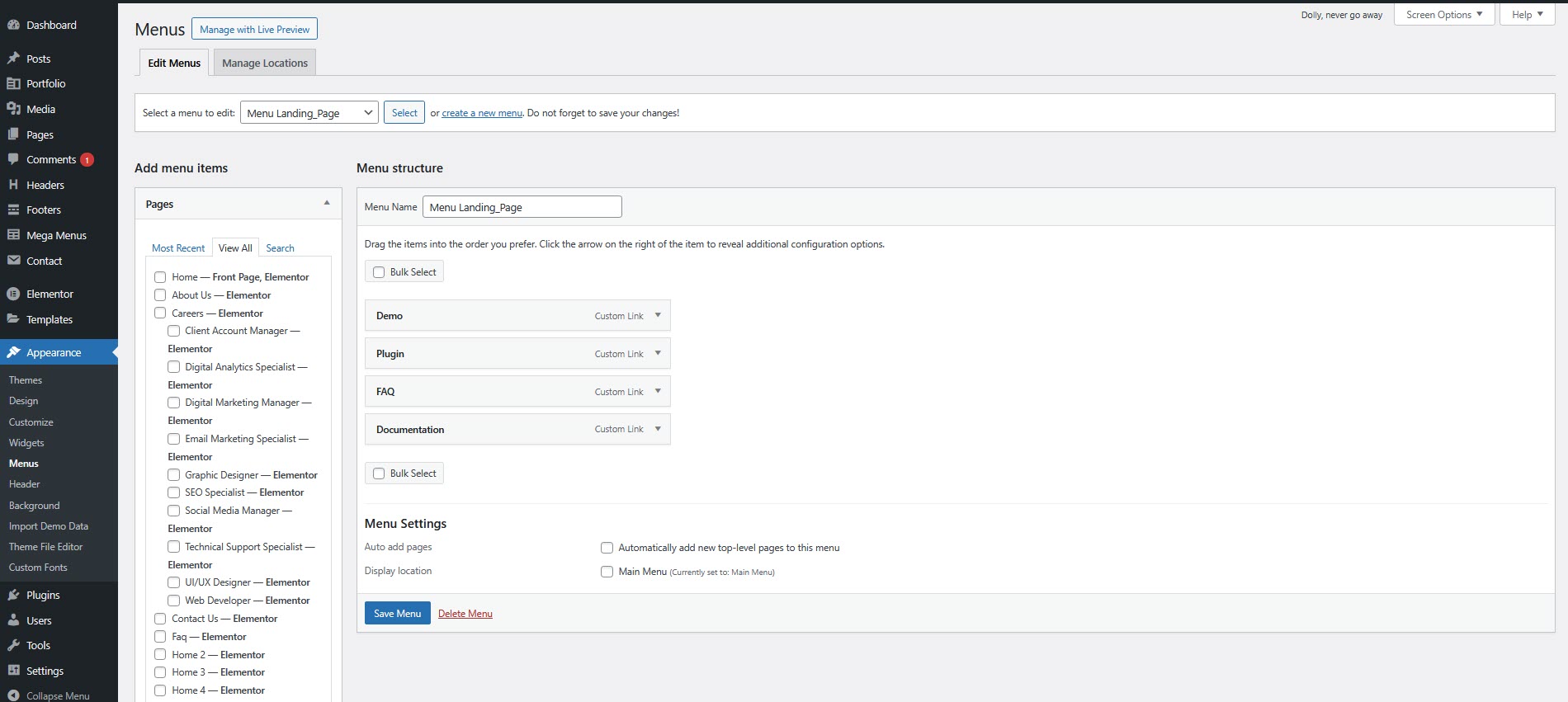
# Menu
### How to add a menu
* Navigate to your **WordPress Dashboard**.
* Go to **Appearance > Menus**
* Click the **Create a new menu** link and give your menu a name
* **Choose Menu Locations:** Select the locations where you want this menu to appear. These locations vary depending on your theme (e.g., Primary Menu, Secondary Menu)
* **Add Menu Items**
1. **Pages:** Select the pages you want to include in the menu.
2. **Custom Links:** Add custom links by entering a URL and link text.
3. **Categories:** Include categories if supported by your theme
4. **Other:** You can also add other items such as posts, custom post types, and more.
* **Arrange Menu Items:** Drag and drop menu items to arrange them in the desired order. To create submenus, simply drag items slightly to the right to indent them under a parent ite
* **Save Your Menu:** Click "Save Menu" to save your changes.