Site General
The Theme Customizer is another user-friendly method for customizing your WordPress theme, suitable for both beginners and intermediate users.
Here's a short form of the Site General settings process in WordPress:
Step 1 : Login to your WordPress admin dashboard.
Step 2 : Go to Appearance > Customize.
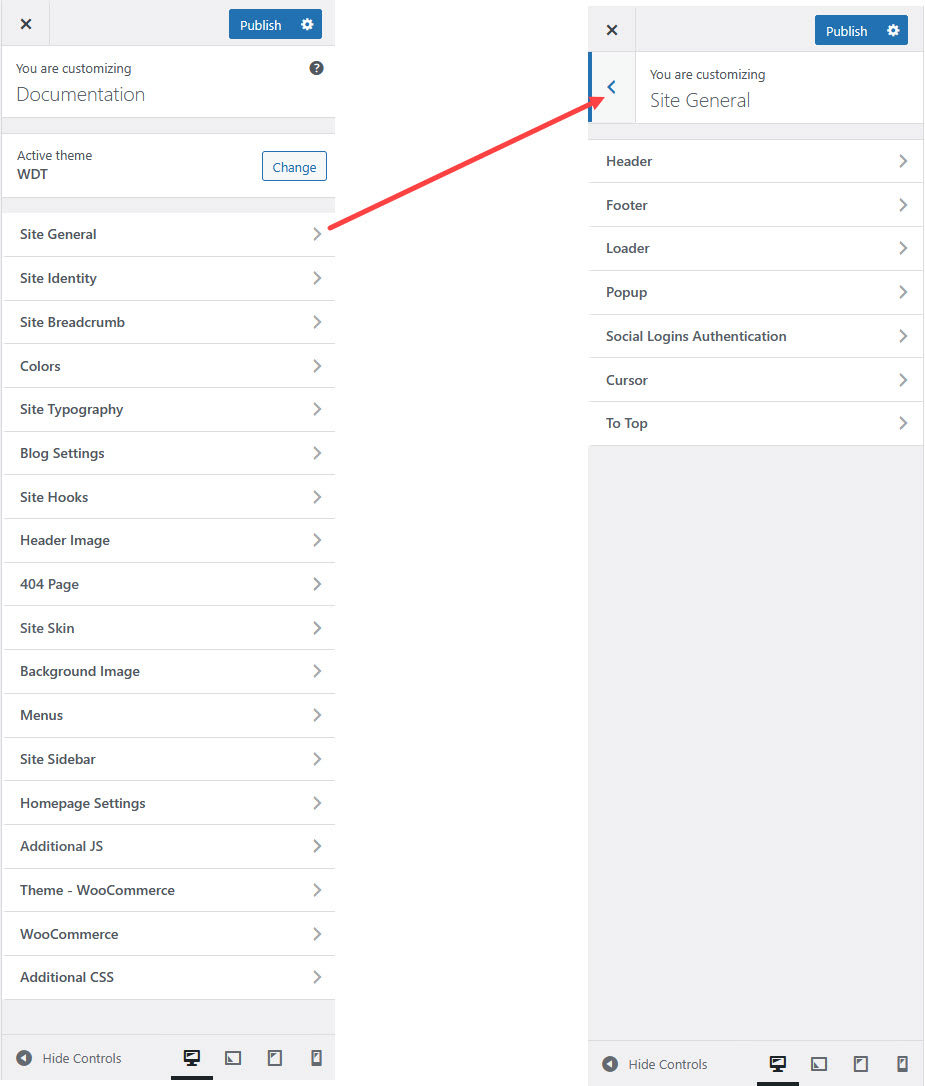
Step 3 : Site General settings
Step 4 : Adjust the settings as needed and click Publish to save changes.
Customizing Site General Settings
In the Theme Customizer, you can modify various aspects of your site under Site General settings.
Header Settings
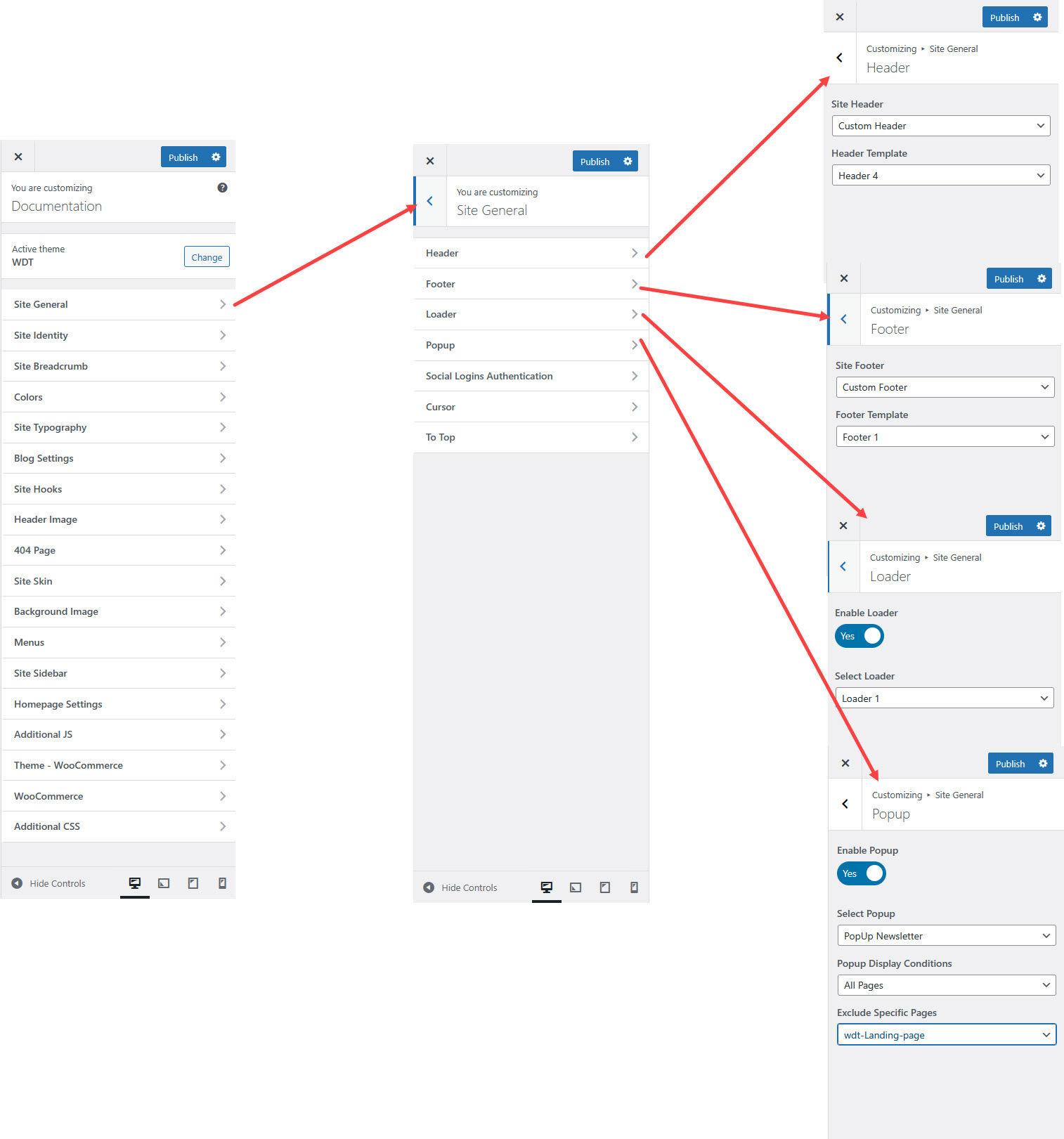
You can set the header layout globally for your entire website.
Site Header : Enable or disable the site header for your website.
Header Template : Select a pre-designed header template from the available options. This template controls the layout and style of your site’s header.
Footer Settings
You can set the footer layout globally for your entire website.
Site Footer : Enable or disable the site footer on your website.
Footer Template : Select a pre-designed footer template from the available options. This template controls the layout and style of your site’s footer.
Loader
You can enable or disable the preloader animation that appears before the site loads, and also choose the loader style to your preference.
Enable Loader : Turn this option on to activate a loading animation for your website.
Select Loader : Choose a loader style from the available options. This controls the animation that appears while your website content is loading.
Popup
Enable Popup : Turn this option on to activate the popup feature on your website.
Select Popup : Choose the popup you want to display from the available list.
Popup Display Conditions : Set where and when the popup should appear on your site.
Exclude Specific Pages : Select the pages where you don’t want the popup to appear.
Social Logins Authentication
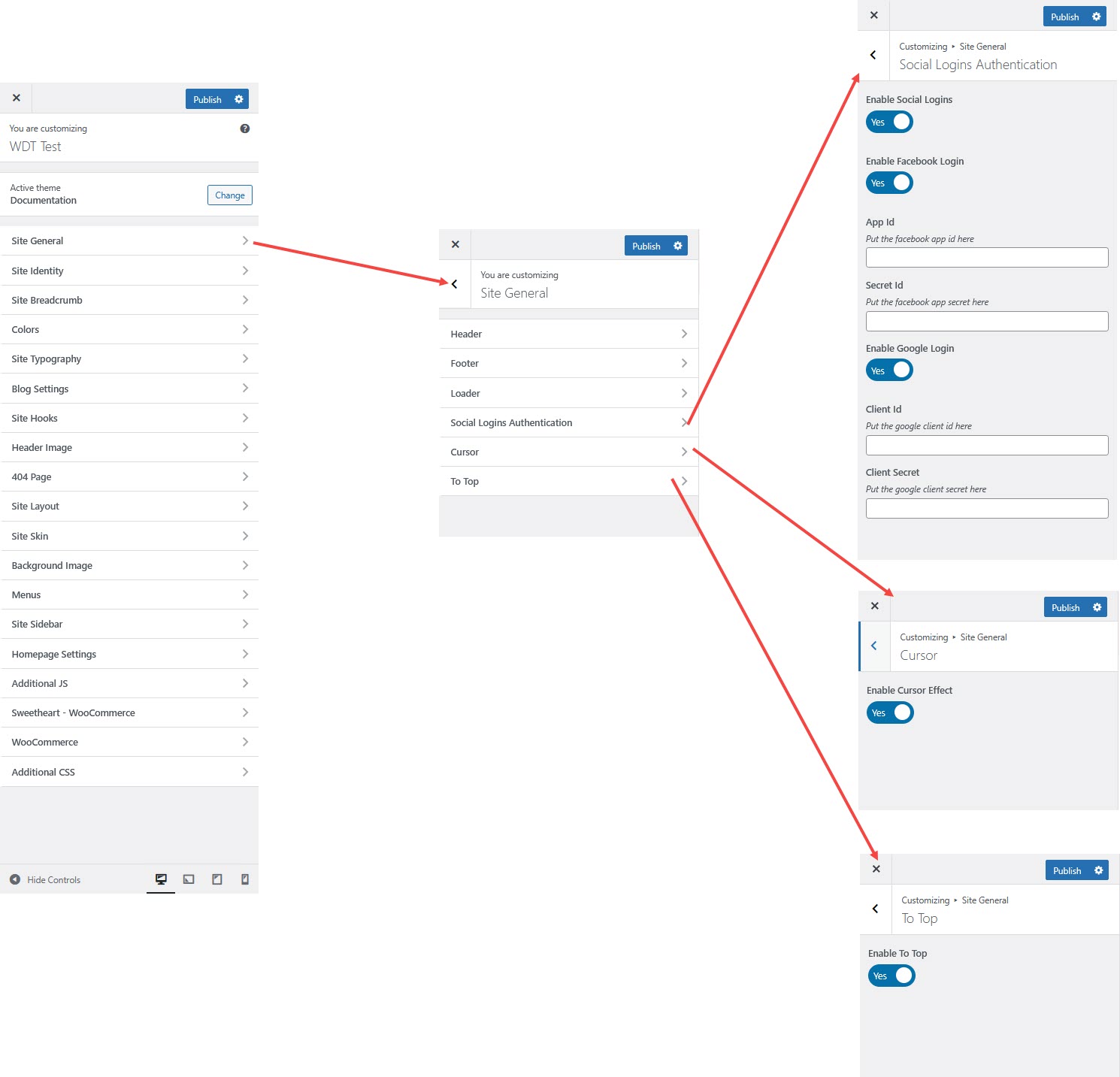
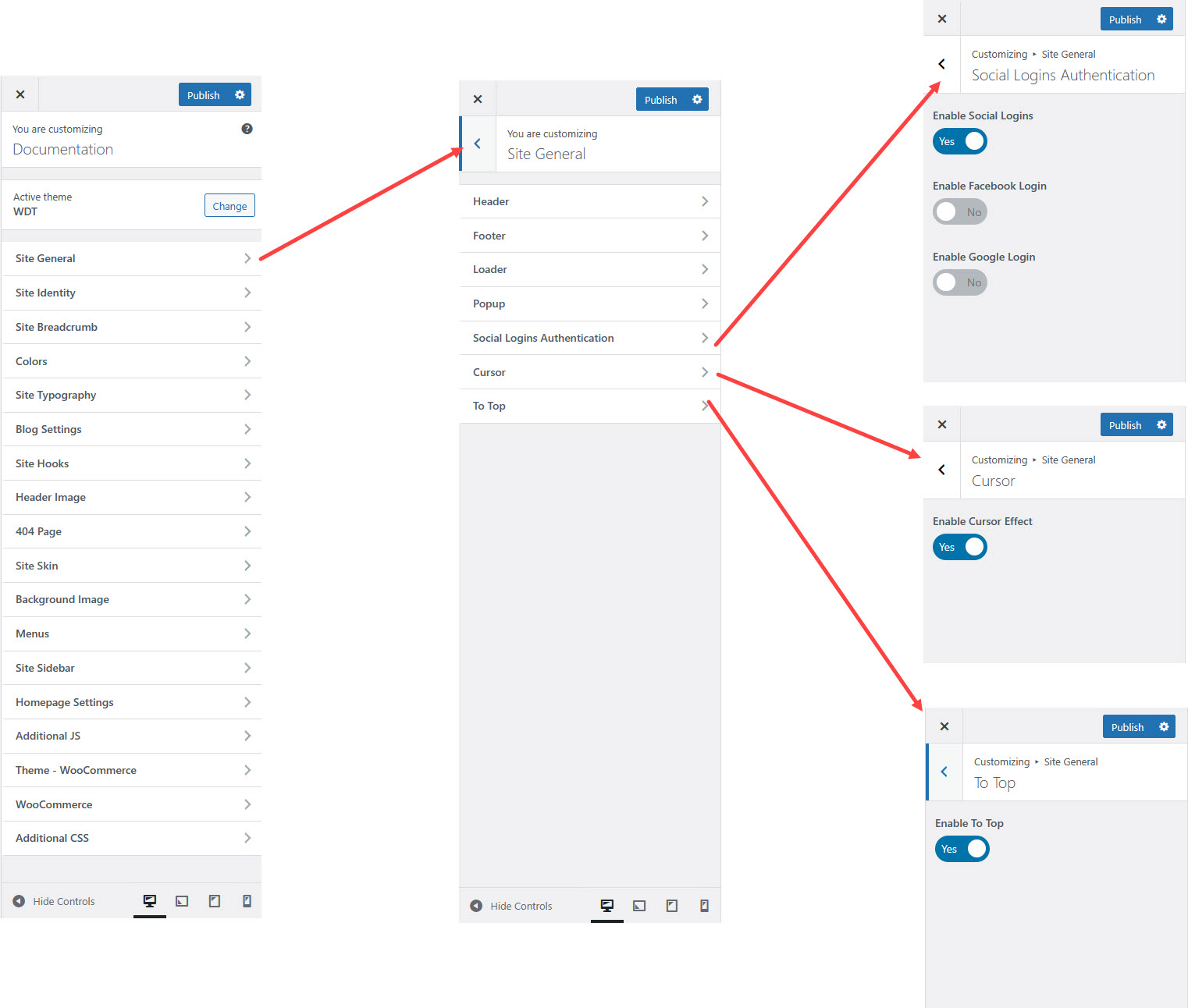
Configure login options using Google, Facebook, or other third-party providers.
Cursor
Customize the mouse cursor style and enable/disable the site.
To Top
Enable a Back to Top button for easier navigation.
Saving Your Changes
Once all settings are adjusted, click Publish to apply them.